

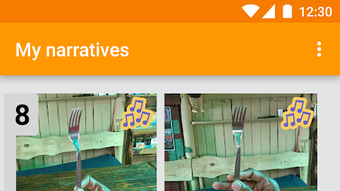
Description
Download Com Phone Story Maker – photo slideshow maker, story creator, Android app, free photo editor, digital storytelling tool
Overview
Com Phone Story Maker is a free Android application developed by Simon Robinson, designed to help users create, edit, and share photo slideshows as a means of storytelling. The app enables individuals to compile personal memories using photos, audio, and text, transforming them into engaging visual narratives. It serves as a digital storytelling tool for casual users, families, and friends who want to preserve and share life moments in a creative and accessible format. The software is particularly suited for those who value simplicity and fun in content creation without the complexity of professional video editing tools.
Users can craft unique stories with customizable themes that can be modified at any time, allowing for flexibility in presentation. The app supports the integration of multimedia elements such as music, text overlays, and photo edits, enhancing the emotional impact of each story. It also includes a template feature, enabling users to reuse story structures while updating content, which streamlines the creation process and reduces time investment. Stories can be exported in multiple formats, including .pdf, .mp3, .mov, .flv, and .webm, making them compatible with various devices and platforms.
While specific real-world usage scenarios are not detailed, the app’s design suggests applications in personal memory preservation, family storytelling, social media content creation, and casual digital expression. The absence of ads enhances the user experience, promoting uninterrupted creativity. The app is available for download on the Google Play Store, ensuring accessibility for Android users seeking a straightforward tool for visual storytelling.
Key Features & Capabilities
- Photo Slideshow Creation: Users can assemble photos into dynamic slideshows with smooth transitions, ideal for visual storytelling and memory sharing.
- Multimedia Integration: The app supports the addition of audio tracks, background music, and text overlays to enrich the narrative experience.
- Customizable Themes: Each story can be assigned a unique theme, which can be changed at any stage of development for real-time visual adjustments.
- Template Functionality: Users can save and reuse story outlines as templates, enabling rapid creation of new stories by updating only the content.
- Photo Editing Tools: Basic editing features allow users to adjust images directly within the app, including cropping, filters, and brightness adjustments.
- Export Flexibility: Stories can be exported in multiple formats, including .pdf, .mp3, .mov, .flv, and .webm, ensuring compatibility across devices and platforms.
- Social Media Sharing: Completed stories can be shared directly to social media platforms, facilitating instant connection with friends and family.
These capabilities support a range of practical applications, such as documenting travel experiences, celebrating milestones, or creating digital scrapbooks. The template system is especially beneficial for users who frequently create similar types of content, such as birthday tributes or event recaps. The ability to export in various formats ensures that stories can be used for presentations, audio recordings, or video sharing, increasing the app’s versatility. The integration of audio and text allows for personalized storytelling, making each output unique and expressive.
User Interface, Workflow & Performance
The user interface of Com Phone Story Maker appears to be designed with simplicity and accessibility in mind, prioritizing intuitive navigation for users of all skill levels. The layout likely features a central workspace for story assembly, with clearly labeled tools for adding media, applying themes, and adjusting settings. Navigation between different stages—media import, editing, preview, and export—is expected to be linear and user-friendly, minimizing the learning curve.
Workflow efficiency is enhanced by the template system, which reduces repetitive steps during story creation. Users can begin with a pre-designed structure and focus on content customization, significantly cutting down production time. The app’s performance is not specified, but given its free nature and target audience, it is likely optimized for mid-range Android devices. The developer did not provide detailed resource usage information, so actual CPU and RAM behavior remains unknown.
Stability is assumed to be adequate for basic editing tasks, though no formal testing data was provided. General software behavior patterns suggest that the app operates smoothly during standard use, with minimal crashes or freezes. The absence of ads may contribute to a more stable and focused experience, reducing the risk of interruptions during editing sessions.
Compatibility & System Requirements
Com Phone Story Maker is designed for Android devices, with a specified file size of 45 MB. This indicates a lightweight installation, suitable for devices with limited storage space. The app is available on the Google Play Store, ensuring compatibility with a broad range of Android versions and hardware configurations.
Exact system requirements were not listed, so specific minimum OS versions, processor speed, or RAM specifications are unknown. The developer did not provide additional system requirements. Compatibility information is limited to the operating system and installation size. Users are advised to ensure their device meets general Android standards for app functionality, particularly regarding storage and operating system version.
Pros and Cons
Pros
- Free to download and use with no advertisements
- Intuitive interface suitable for beginners and casual users
- Supports multiple export formats including .pdf, .mp3, .mov, .flv, and .webm
- Template system enables rapid story creation
- Allows editing of photos, text, and audio within the app
- Direct sharing to social media platforms
- Customizable themes that can be changed at any time
Cons
- Exact system requirements and performance details were not specified
- No information on advanced editing features or file size limits
- Compatibility with older Android versions is not confirmed
- Limited customization options may not satisfy advanced users
- No mention of cloud backup or synchronization features
FAQ Section
Is Com Phone Story Maker available for iOS devices?
Com Phone Story Maker is currently designed for Android devices only. There is no information available regarding an iOS version.
Can I use the app without an internet connection?
Yes, the app functions offline. Users can create, edit, and export stories without requiring an internet connection.
Are there any in-app purchases or hidden fees?
The app is free to download and use with no ads. No in-app purchases or hidden fees were mentioned in the provided information.
How do I update the app?
Updates are available through the Google Play Store. Users should check for updates directly in the store application.
What file formats can I export my stories to?
Stories can be exported in multiple formats, including .pdf, .mp3, .mov, .flv, and .webm, allowing for broad compatibility across devices and platforms.
Final Thoughts
Com Phone Story Maker offers a simple, ad-free solution for Android users seeking to create personal photo slideshows and digital stories. Its intuitive design, template functionality, and export versatility make it an appealing choice for families, friends, and casual content creators. While detailed technical specifications are limited, the app’s focus on ease of use and creative freedom stands out in the crowded photo editing space.
For users who prioritize accessibility and quick storytelling without complex tools, Com Phone Story Maker delivers a satisfying experience. It is particularly well-suited for those who want to preserve memories in a fun and shareable format. Despite the lack of advanced features and limited system details, the app’s strengths in usability and flexibility justify its place in the digital storytelling toolkit.
Download Com Phone Story Maker now
Guides & Tutorials for Com Phone Story Maker APK
How to install Com Phone Story Maker APK
- Click the Preview / Download button above.
- Once redirected, accept the terms and click Install.
- Wait for the Com Phone Story Maker APK download to finish on your device.
How to use Com Phone Story Maker APK
This software is primarily used for its core features described above. Open the app after installation to explore its capabilities.
User Reviews for Com Phone Story Maker APK 0
No reviews found





